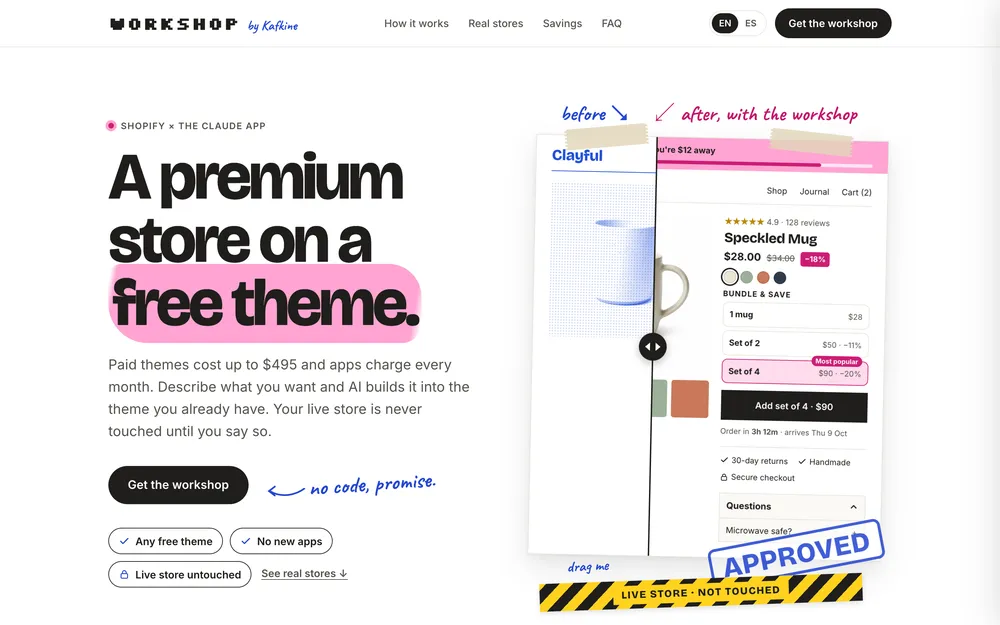
Paid themes cost up to $495 and apps charge every month. Describe what you want and AI builds it into the theme you already have. Your live store is never touched until you say so.
1 mug$28Set of 2$50 · −11%Most popularSet of 4$90 · −20%
Add set of 4 · $90
Order in 3h 12m · arrives Thu 9 Oct
30-day returnsHandmadeSecure checkout
Questions ⌃
Microwave safe? +
Approved
drag me
Live store · not touched
It's like texting a developer.
No code, no technical screens. You write what you want in normal words, look at the designs it shows you, and say yes.
The Claude appAn AI app for your computer, like ChatGPT, that can also work on your store's files.
The workshopA folder you open in that app. It teaches it to work on Shopify carefully, with locks so it can't break anything.
Your themeShopify's word for your store's design. You keep the one you have.
You need: a computer, a Claude Pro plan (about $20/month) and your Shopify login.
Claude · your store
I want my product page to sell packs, like this one I saved.
Here are two versions in your colours, with your mug. Which one?
AB
B, but make "set of 4" the popular one.
Done. It's on a private copy of your store, checked on phone and desktop. Open it here:
Preview · only you can see itYour live store hasn't changed
Perfect, publish it.
Three prints from your idea to your store.
Every request follows the same path. You see the design before anything is built, and the result before anyone else does.
PProduct page ideasSave
LUNE & MOSS
★★★★★ 4.8
Amber Jar Candle
€24 €29
Duo −10%Most lovedTrio −18%Add the trio · €59Burn time? +
1 · your referenceA screenshot, a Pinterest pin or a link. That's the whole brief.
A<header>FAQ
B<header>Details · FAQ
2 · two designsIn your colors, with your products. You pick one and say what to change.
★★★★★ 4.9
Speckled Mug
$28.00$34.00
Set of 2−11%Most popularSet of 4−20%
Add set of 4 · $90
FAQ ⌃
Is it microwave safe? +
Approved
3 · on your storeSame layout as the pin, in your brand. Built into your theme, checked on phone and desktop, sent to a copy only you can see.
You ask→ it designs →you approve→ it builds and checks → it ships a preview →you publish
Live store · not touchedLive store · not touchedLive store · not touchedLive store · not touchedLive store · not touchedLive store · not touchedLive store · not touchedLive store · not touched
Your live store is taped off.
Every change goes to a private copy of your store first. You look at it; publishing is always your click.
What you changed in the Shopify admin comes in first, so it's never overwritten.
Your theme's original files stay intact, so theme updates keep working.
Every change is saved and can be undone in seconds.
The agent is blocked from publishing, deleting or writing to your live store. Blocked, not asked nicely.
today's log (example)
syncedpicked up 2 edits you made in Shopify
blockedtried to edit an original file → built a separate FAQ block instead
checkedhome, product, cart · phone and desktop
blockedtried to publish to the live store
shippedprivate preview ready · link sent to you
Built this way: real stores, real pages.
Three stores and the page you're reading, all made by the person behind the workshop. Every page was designed first, approved, then built with the same method and the same safety rules you get.
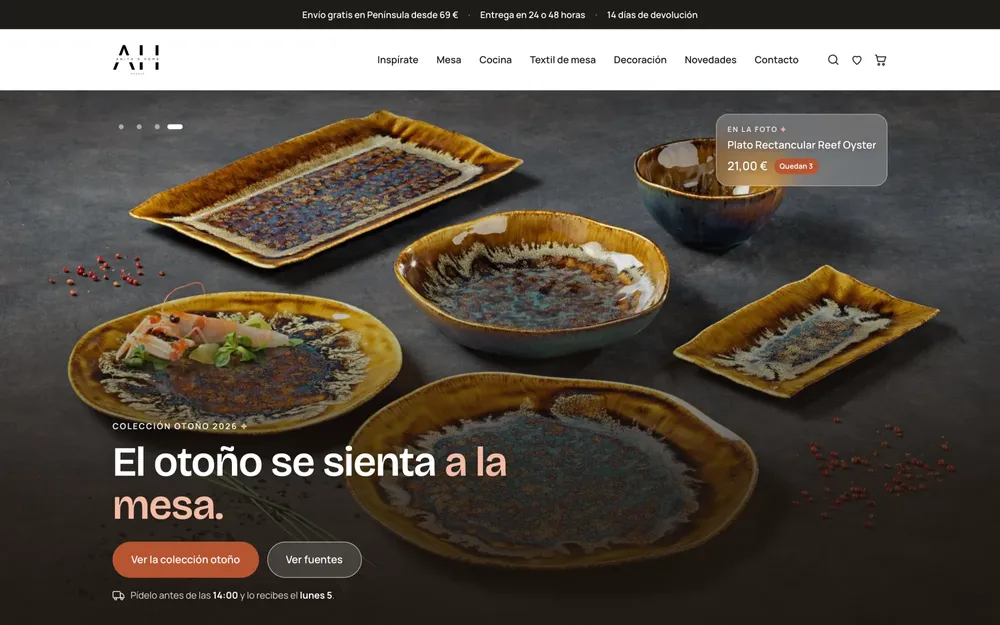
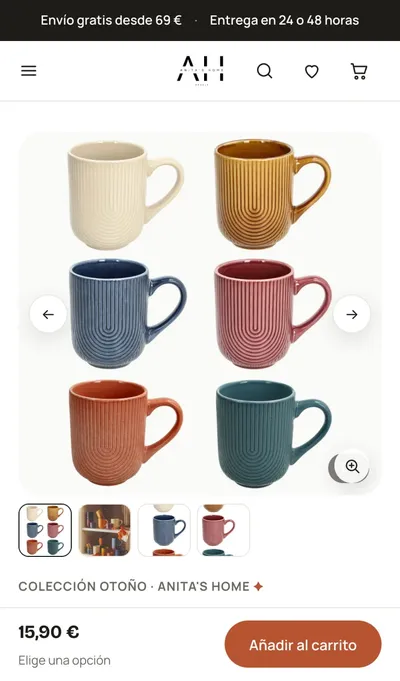
Anita's Home
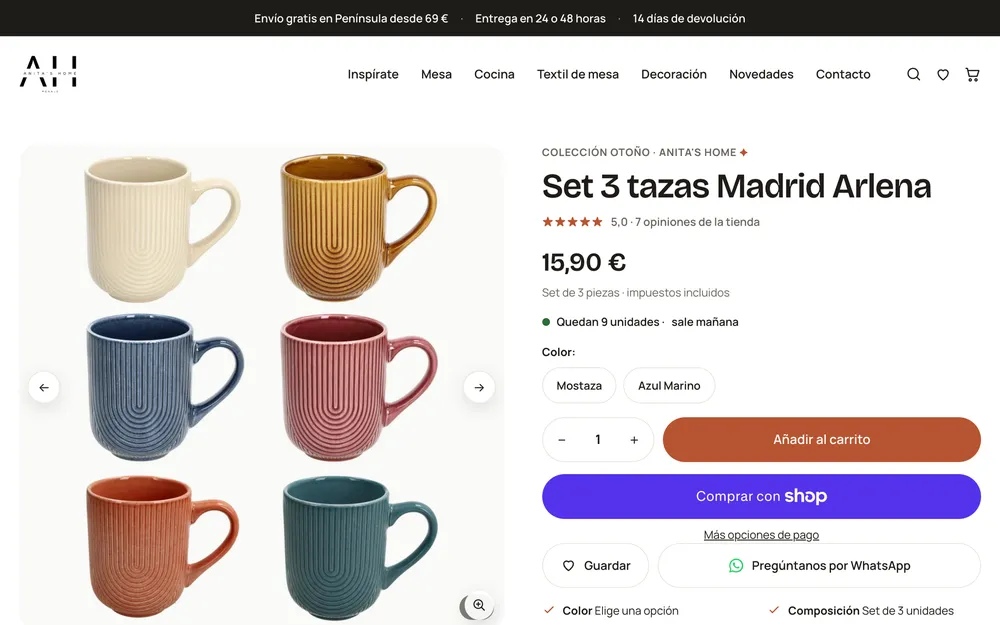
tableware and home · built on Fabric, a free Shopify design
autumn home page · approved as a design first
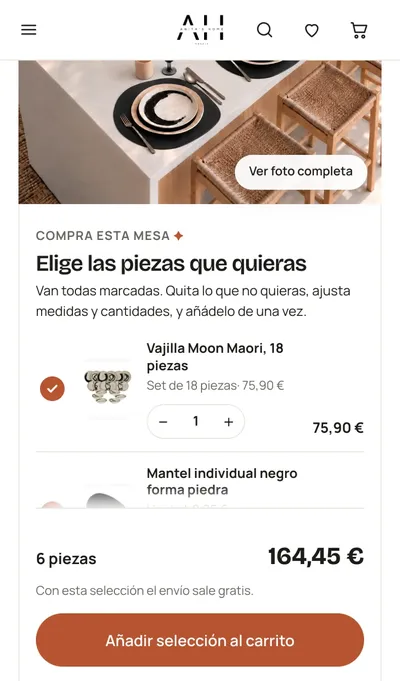
sticky buy bar"pick the pieces you want"
31parts of the store designed, approved and built: header, cart, product page, collections, search, 404
50,427internal links checked before launch · 0 broken
375 pxevery page checked at phone width, no horizontal scroll
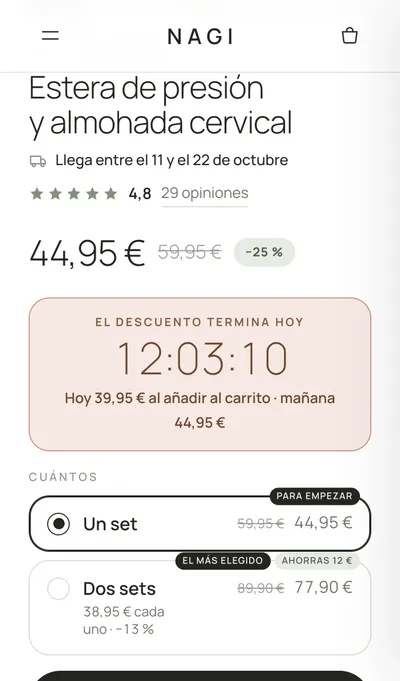
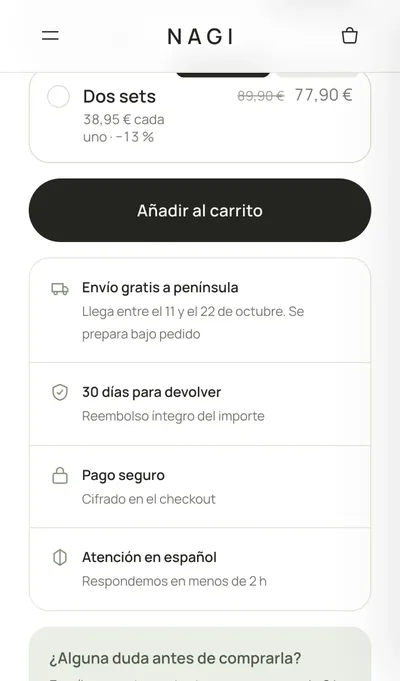
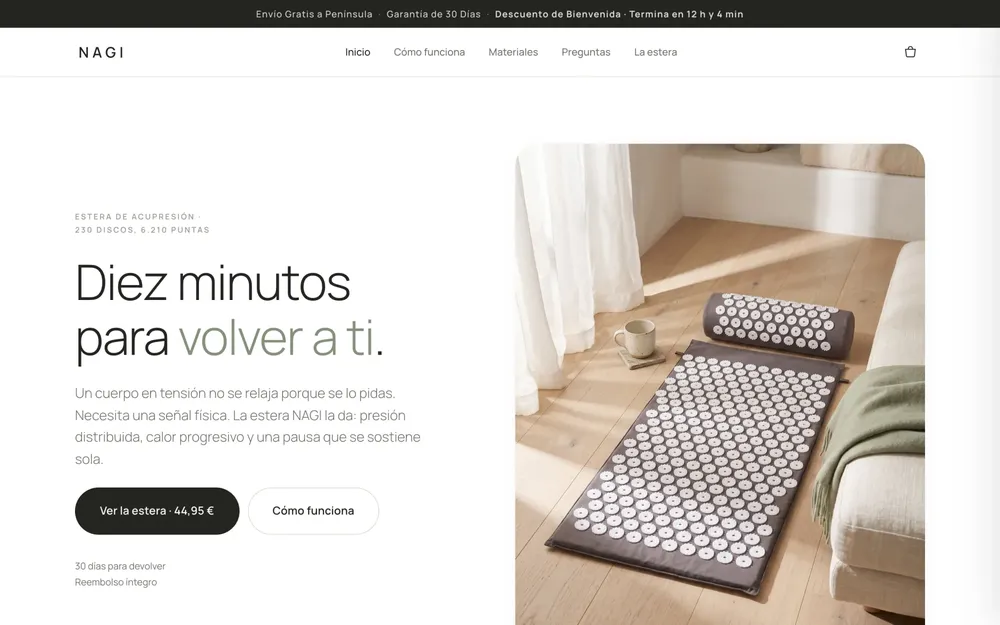
NAGI
acupressure mats · built on Refresh, a free Shopify design
pack selector · price follows the packdelivery date, returns, trust
one-product landing · built change by change
17 sto connect the workshop to the live store, measured
22 sto send a change to a private preview you can open on your phone
0changes to the live theme during testing
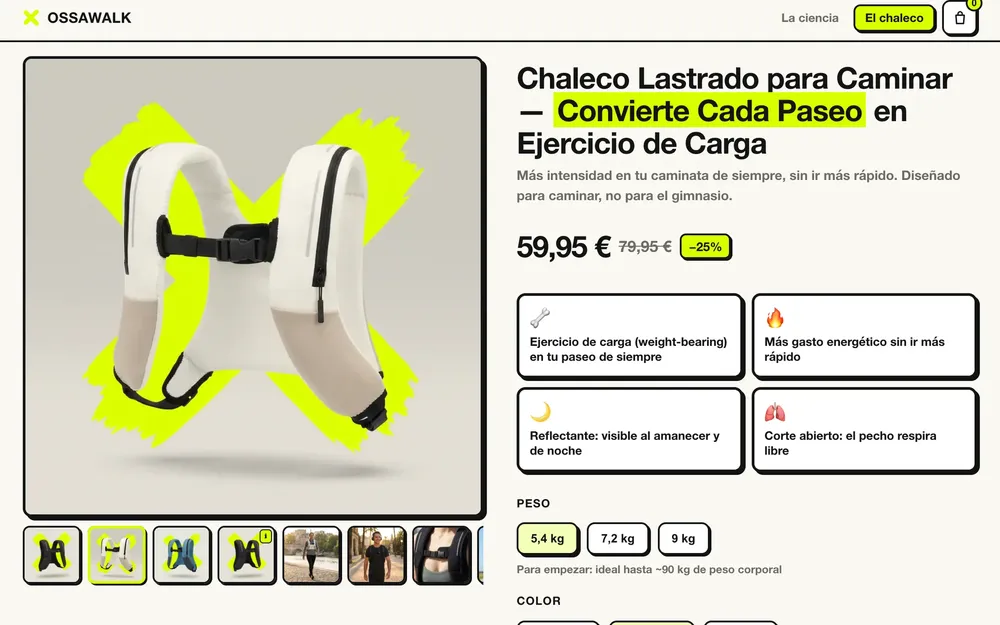
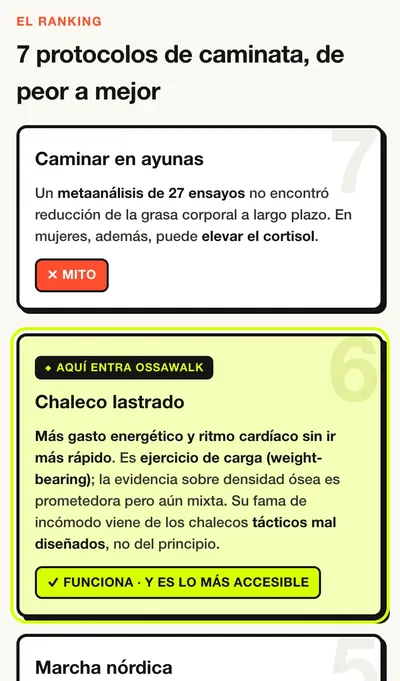
OSSAWALK
weighted walking vest · science article + product page
a whole launch, built from references
weight, colour, pack: one pricethe article that sells it
2pages that work together: a science article that ranks 7 ways to walk, and the product page it sends you to
3things usually bought as apps, built into the theme: pack pricing, a starting-weight calculator, a comparison table
1,935lines of theme code across two templates, built and checked on a preview first
This page
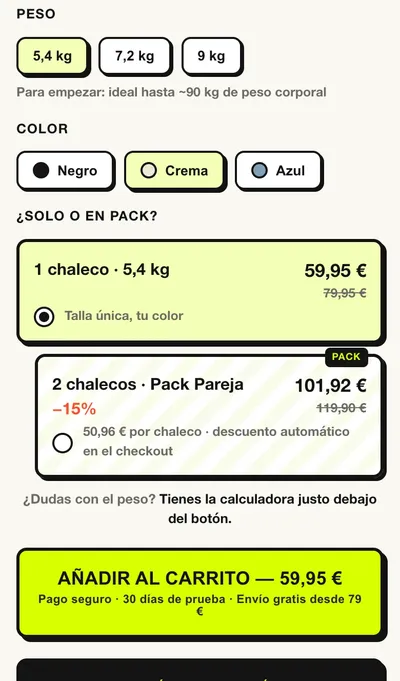
the workshop's own sales page · same method, start to finish
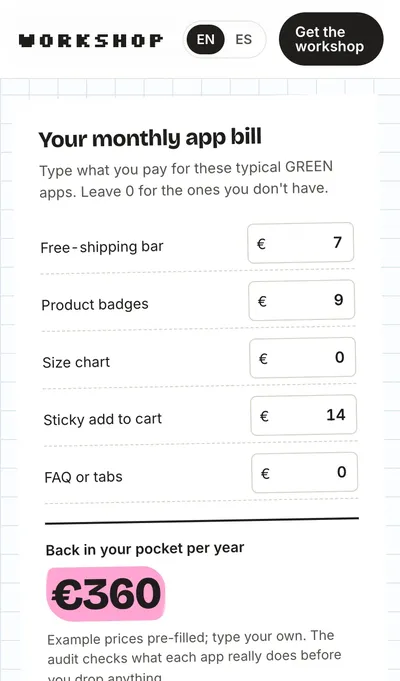
drag the before and aftera calculator, no app
yes, the one you're reading
2languages from one page, switched with one tap
1page, designed and approved section by section before anything was final
390 pxchecked at phone width on every change, no horizontal scroll
Before another subscription, check.
Green
Build it in your theme
Badges, FAQs, free-shipping bar, size charts, sticky add to cart. Presentation with data you already have.
Verified reviews, subscriptions, loyalty, email, shipping. Anything with a server, customer data or payments.
A premium look on a free theme.
Anita's Home started on Fabric, NAGI on Refresh. Both free.
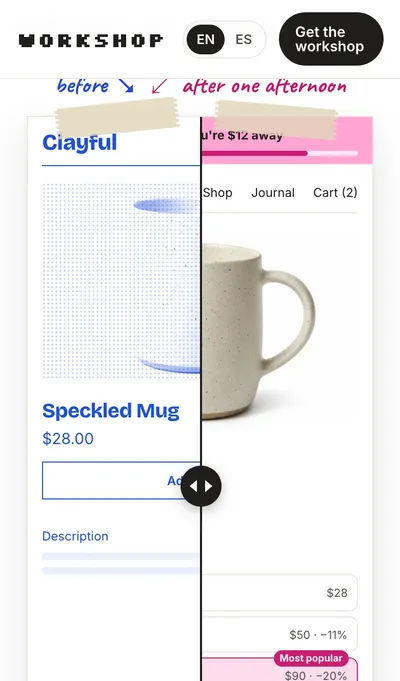
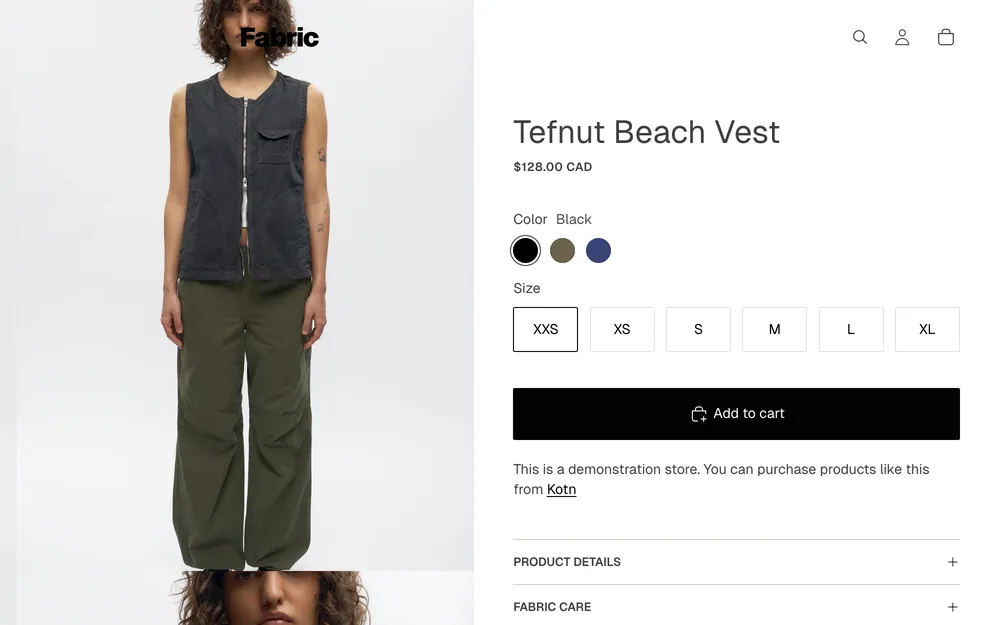
Fabric, as Shopify ships it ↘↙ Anita's Home, same free theme
drag me
Left: Shopify's own Fabric demo store. Right: Anita's Home on Fabric, product page built with this method. Drag to compare.
Paid Shopify themes cost $140 to $495. What they add over a free one is extra sections, menus and effects. That's exactly what the workshop builds, in your brand, from your references.
What people buy a paid theme for
Mega menus
Quick view and swatches
Bundle and pack selectors
Sticky add to cart
Lookbooks and sliders
Comparison tables
Size charts and FAQs
Scroll and hover effects
What your first month could look like.
Laurahandmade ceramics · Dawn theme
Four apps for small things, a freelancer who takes ten days, and a Pinterest board of pages she can't build.
/fix"The menu covers the logo on iPhone."
/audit-appsThree apps marked GREEN, replaced one by one.
/ideaThe product page from her Pinterest board.
€360 a year back, and changes in hours instead of days.
Marcfashion boutique · Horizon
On mobile the buy button disappears below long photos, and size questions arrive by email.
/change"Keep the buy button visible on mobile."
/ideaA size guide he edits himself.
−2 apps he was about to install.
Saraone-product wellness brand
Ads send traffic to a generic product page; packs live in a bundle app.
/ideaA landing page for each campaign.
/changeA pack selector where the price follows the pack.
1 day per landing, without hiring anyone.
Javierhome decor · paid theme
He uninstalled a reviews app and the cart broke on mobile. On a Sunday. The freelancer was on holiday.
/fixFound the code the app left behind and removed it safely.
/audit-appsReviews stay RED: keep an app, just a lighter one.
<1 h and an honest "keep the app" where it was the right answer.
Lucíahandmade jewelry · paid theme
Her home page takes ages on mobile and she suspects the apps, but doesn't know which one.
/optimizeMeasured before and after: oversized images, two leftover app scripts.
/fixRemoved the leftovers safely, image sizes fixed.
2× faster on mobile, with the numbers to prove it.
Pablospecialty coffee · subscriptions
Six apps, one of them for subscriptions, and a product page that looks nothing like his brand.
/audit-appsSubscriptions stay RED. Two GREEN apps go.
/ideaA product page in his brand that still shows the subscription box.
kept the right app and dropped the ones he didn't need.
Hi, I'm Chema.
I've written software for more than ten years, and I run a Shopify store, Anita's Home. I had your problem: an app for every little thing and a list of changes that never got done.
AI agents can do this work, but only if someone sets the rules: never touch the live theme, never edit the theme's own files, check everything on a phone, keep every change undoable.
The workshop is those rules, already set up. You get the result without becoming a developer.
Chema
Everything you need, in one folder.
The workshop: a folder that turns the Claude app into a careful Shopify developer, with its safety rules built in
The guide: one page per thing you can ask for, with example sessions
You type /setup once and it installs everything. No technical steps.
Updates when Shopify or Claude change how things work
You'll also need a Claude Pro plan (about $20/month) and owner or staff access to your Shopify store.
what lands in your inbox, a minute after paying ↓
ZIP
workshop.zipThe folder you open in the Claude app. About 50 KB, Mac and Windows.
PDF
Workshop guide26 visual pages, from setup to your first published change. Also online.
Setup videoThree minutes, screen by screen. Watch it once, then type /setup.
1Unzip it anywhere
2Open the Claude app and choose the folder (the setup video shows where)
3Type /setup and log in to Shopify when it asks
4Ask for your first change
Download link on the thank-you page and in your email. New versions arrive the same way, at no extra cost.
Before you buy.
Do I need to know how to code?
No. You describe what you want in your own words and approve a design and a plan in plain language. You never write, copy or paste code.
Can it break my store?
The store your customers see is never touched. Every change goes to a private copy you check first, and anything can be undone with one sentence.
Shopify has its own AI. Why this?
Shopify's Sidekick creates single blocks and adjusts settings. It doesn't change the code you already have, debug what's broken, audit your apps or keep a history you can undo. The workshop does all four, and ChatGPT snippets do none of them safely.
Do I need a paid theme for a premium store?
No. Everything a paid theme adds over a free one (sections, layouts, menus, bundles, effects) is storefront code, and the workshop builds it into the free theme you already have, matched to your references. You won't get a paid theme's own code: it's licensed per store, so the agent writes original versions instead of copying. The look depends on the references you bring, not on the theme you paid for.
Which themes does it work with?
With the design your store already uses: Shopify's free ones (Dawn, Horizon, Fabric, Refresh…) and paid ones from the Theme Store. Only very old designs from before 2021 are more limited; the setup tells you in the first minute.
What if I ask for something too big?
Every plan says how big the job is, how long it should take and whether it's a good idea. Sometimes the honest answer is "use an app" or "this needs a developer".
Is it in Spanish?
The agent talks to you in your language. The guide is in English, with a Spanish edition being prepared for launch.